
LivingVitality - Google Play
You'll be able to see results in few seconds.
Publisher Description
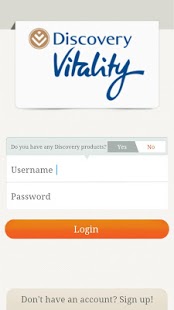
Whatever your wellness need, you can find it on LivingVitality! Join our vibrant community and get access to expert knowledge and information and all things healthy. Use this application to map your journey to wellness, meet fellow members and share tips and ideas on getting healthier. Access the range of Vitality tools and use them to track your way to a healthier you:
Calorie budget: View your daily Calorie budget; Calories consumed (option to log a food – see ‘Log a food’); Calories Burned (option to log a workout) and Remaining Calories
Log a workout: You can enter self-reported information of your exercise sessions and track your calories burned.
Log a food: Search for and enter each food and beverage that you consume over the course of a day and get nutritional analysis (energy and macronutrients) of the foods selected.
Weight tracker: Track your weight over time.
BMI calculator: Calculate your body mass index and compare against standard ranges to assess whether you are overweight, underweight, or normal weight.
Calories burned calculator: Calculate the calories burned during a workout. This includes hundreds of activities such as walking, biking, swimming, cycling, or even tae bo.
If you’re a Discovery Vitality member, you can earn Vitality points for logging your food and improve your Vitality status. Make your journey to better health easier and more enjoyable with Discovery Vitality, the wellness programme that rewards you for getting healthier!
About LivingVitality
The company that develops LivingVitality is Discovery Holdings Limited. The latest version released by its developer is 1.0 .
To install LivingVitality on your Android device, just click the green Continue To App button above to start the installation process. The app is listed on our website since 2014-07-01 and was downloaded 0 times. We have already checked if the download link is safe, however for your own protection we recommend that you scan the downloaded app with your antivirus. Your antivirus may detect the LivingVitality as malware as malware if the download link to com.livingvitality.main is broken.
How to install LivingVitality on your Android device:
- Click on the Continue To App button on our website. This will redirect you to Google Play.
- Once the LivingVitality is shown in the Google Play listing of your Android device, you can start its download and installation. Tap on the Install button located below the search bar and to the right of the app icon.
- A pop-up window with the permissions required by LivingVitality will be shown. Click on Accept to continue the process.
- LivingVitality will be downloaded onto your device, displaying a progress. Once the download completes, the installation will start and you'll get a notification after the installation is finished.
Program Details
System requirements
Download information
Pricing
Version History
version Varies with device
posted on 2014-07-01
version 1.0
posted on 2013-02-13
Several fixes and updates
Disclaimer
Official Google Play Link
We do not host LivingVitality on our servers. We did not scan it for viruses, adware, spyware or other type of malware. This app is hosted by Google and passed their terms and conditions to be listed there. We recommend caution when installing it.
The Google Play link for LivingVitality is provided to you by apps112.com without any warranties, representations or guarantees of any kind, so access it at your own risk.
If you have questions regarding this particular app contact the publisher directly. For questions about the functionalities of apps112.com contact us.
